
The best LinkedIn prospecting tools for founders in 2026 are Sales Navigator ($119.99 per month) for search and account mapping, Apollo (free tier, paid above) for contact data and sequences, Clay (from $167 per month billed annually) for custom enrichment, Trigify ($40 per month) for multi-platform signals, and Embers ($49 per month billed monthly, $39 billed annually) for turning existing LinkedIn engagement into a ranked queue.
Most LinkedIn prospecting tool comparisons skip the question that actually matters: what job are you hiring the tool to do?
That sounds basic, but it is where many founder-led sales stacks get messy. One founder buys Sales Navigator because every sales team seems to have it. Another buys Apollo because they need emails. Someone adds Clay because enrichment workflows look powerful. A month later the team has three prospecting tools, two spreadsheets, one half-used sequence, and no clear answer to who should be contacted today.
LinkedIn prospecting is not one job. It is a chain of jobs.
You need to find the right people. You need to understand whether they fit your ICP. You need contact context. You need timing. You need a way to turn that context into a conversation without treating every prospect like a row in a database.
The best LinkedIn prospecting tool depends on which part of that chain is weakest.
For a founder with a clear ICP and no audience, Sales Navigator may be the right first purchase. For a team with a list-building problem, Apollo or Clay may matter more. For a founder already getting relevant LinkedIn engagement, a signal-first tool like Embers should come earlier because the warmest prospects are already visible. They are just not organized into a workflow.
This comparison is written for founders and lean B2B teams, not enterprise RevOps teams with a full stack and a dedicated admin. The goal is to help you pick the tool that fits your stage, risk tolerance, and prospecting motion.
If you want the broader category view, start with the B2B sales prospecting tools guide. If you want the operating playbook behind the channel, read LinkedIn for prospecting.
If you are doing hands-on prospecting right now, keep the free LinkedIn tools library open while you work. The LinkedIn Profile URL Finder helps verify public profile URLs before you add someone to a list, the LinkedIn Lead Priority Scorer helps decide whether the person deserves follow-up, and the Warm LinkedIn DM Generator helps turn that context into a first message.
If you are already choosing between vendors, use the buyer-intent comparison pages too: best Clay alternatives, Clay vs Apollo, Clay vs ZoomInfo, Clay alternatives, Apollo alternatives, and LinkedIn Sales Navigator alternatives.
What a LinkedIn prospecting tool actually means
A LinkedIn prospecting tool is any product that helps you turn LinkedIn data, activity, or relationships into sales conversations.
That definition is intentionally broad. It includes LinkedIn’s own paid research product, contact databases that work alongside LinkedIn, enrichment platforms that build workflows from LinkedIn inputs, signal tools that watch public engagement, and automation tools that execute outreach.
Those categories get lumped together, but they solve different problems.
Sales Navigator helps you search the LinkedIn graph. Apollo helps you find contacts and run outbound. Clay helps you build flexible enrichment workflows. Trigify helps you track social activity and find contact data from public signals. Embers helps you turn LinkedIn engagement into a ranked warm lead workflow.
The wrong way to compare them is feature count. The right way is workflow fit.
A founder who posts twice a week and gets thoughtful comments from potential buyers does not primarily need a bigger cold database. They need to know which engagers fit the ICP, which accounts are worth expanding into, and what to say while the interaction is still fresh.
A founder with no audience, no warm engagement, and a narrow target account list has a different problem. They need search, account mapping, and probably email enrichment.
Your tool choice should follow that distinction.
The five jobs a prospecting tool should do
Before comparing vendors, define the jobs.
1. Build the market map. You need to find accounts and people that match your ICP. This is where LinkedIn’s graph is strongest. Titles, company size, geography, tenure, and relationship paths all matter.
2. Qualify fit. Matching a title is not enough. You need to know whether the person works at the right kind of company, has the right responsibility, and is likely to care about the problem you solve.
3. Capture timing. Timing is the difference between a cold list and a useful prospecting queue. Job changes, hiring posts, competitor engagement, category discussions, and post engagement can all change the priority of a lead.
4. Add contact context. Depending on your motion, this may mean email, phone, company data, CRM fields, or account notes. Founders should be careful here. More data does not automatically mean better outreach.
5. Create the next action. The end product of prospecting is not a list. It is a specific action: comment, connect, send a DM, send an email, ask for an intro, or save the account for later.
That last job is where many stacks fail. They produce records, not decisions.
For founder-led sales, a good LinkedIn prospecting tool should reduce the number of daily judgments, not increase them. It should answer: who matters, why now, and what is the next reasonable step?
Five LinkedIn prospecting tools compared
The tools below overlap, but each has a natural center of gravity.
| Tool | Best job | Starting price (Sept 2026) | Needs LinkedIn login or extension | Strongest fit | Main trade-off |
|---|---|---|---|---|---|
| Embers | Warm signal capture and prioritization | $49/mo billed monthly, $39/mo billed annually | No | Founders and teams with LinkedIn engagement | Needs a real LinkedIn content or social-selling motion |
| LinkedIn Sales Navigator | Native LinkedIn search and account mapping | $119.99/mo (Core) | Your own account | Teams building lists from LinkedIn’s graph | Does not create a full outreach workflow |
| Apollo | Contact data plus outbound execution | Free tier, paid plans above | Chrome extension for capture | Teams that want database, enrichment, and sequencing together | Can push teams toward volume before targeting is sharp |
| Clay | Flexible enrichment and workflow building | Free tier, Launch from $167/mo billed annually | Depends on providers | Operators building custom GTM workflows | Requires more setup discipline than simple point tools |
| Trigify | Social signal tracking and contact discovery | $40/mo, 4,000 credits | No | Teams tracking category conversations and social activity | Credits meter every search and workflow run |
1. Embers
Embers is the best fit when LinkedIn is already creating demand for you.
The common founder-led pattern is simple. You post consistently. The right people start liking, commenting, or reposting. Some of them are prospects. Some are peers, students, recruiters, investors, or people outside your market. LinkedIn shows you activity, but it does not turn that activity into a sales workflow.
Embers sits in that gap.
It watches public LinkedIn engagement, enriches the person and company context, scores leads against your ICP, and helps draft outreach tied to the actual post someone engaged with. That makes it different from a search tool or a bulk database. The starting point is not “find 1,000 people who match this filter.” The starting point is “who already interacted with us or our market, and which of those people deserve follow-up?”
That distinction matters for founders because their personal profile is often the brand. A generic pitch after someone likes a post can damage trust quickly. A message that references the actual conversation has a better chance of feeling like a continuation instead of a reset.
Embers is also useful for account access risk. It does not need your LinkedIn login, browser cookies, or a browser extension that acts from your account. For founders who rely on their personal profile, that is not a small detail.
Where Embers is weaker is broad cold sourcing. If you rarely post, have no meaningful engagement, and do not track category conversations, Embers will not invent warm demand. It helps you work signal. It does not replace the need to create or find signal.
Use Embers if you are doing founder-led sales, posting consistently, or trying to turn social selling into a daily lead queue.
Before a signal becomes a sales task, verify that you have the right person. The LinkedIn Profile URL Finder is useful when a name, title, and company need to become a clean public profile URL for CRM review or manual outreach.
Website: Embers
2. LinkedIn Sales Navigator
Sales Navigator is still the default starting point for LinkedIn-native prospecting.
Its strength is access to LinkedIn’s own graph. You can search by role, geography, company, seniority, headcount, function, relationship path, and other filters that matter when you are building a named account list. You can save leads, monitor accounts, and use alerts to stay close to job changes or company movement.
For a founder who knows the market but needs to map it, that is valuable. Sales Navigator helps answer: which companies should I care about, who works there, and how are they connected to me?
It is also one of the cleaner options from an account-risk perspective because it is LinkedIn’s own paid product. You are not depending on a third-party extension to automate activity from your personal profile.
The limitation is that Sales Navigator does not finish the workflow. It gives you search and research. It does not give you verified email coverage, deep enrichment, sequencing, or a ranked queue based on who is already engaging with your content.
That is why Sales Navigator works best as a foundation layer. Pair it with a clear prospecting process, or it becomes a place where reps save leads and never act on them.
LinkedIn’s public pricing page currently lists Core and Advanced plans with Advanced Plus sold for larger teams. Check the official page before buying because pricing and packaging move over time.
Website: LinkedIn Sales Navigator
3. Apollo
Apollo is the practical all-in-one choice for teams that need contact data and outbound execution in one system.
The core appeal is consolidation. A rep can find prospects, reveal contact details, save records, build lists, and run sequences without stitching together several tools on day one. For a small team trying to start outbound quickly, that can be enough reason to choose Apollo over a more specialized stack.
Apollo also pairs naturally with LinkedIn workflows. Reps often use LinkedIn or Sales Navigator for research, then use Apollo for contact data and outreach. That is a sensible motion when email is part of the channel mix.
The risk is that Apollo can make volume feel too easy. A large database, a Chrome extension, and a sequencer can tempt teams into sending before their targeting or timing is strong. That is how founders end up with more activity and weaker conversations.
Apollo is strongest when you already know your ICP, have a defined message, and need a system to operationalize outbound. It is weaker when the real issue is figuring out who is warm or why a prospect should care right now.
Use Apollo if your bottleneck is contact coverage and outbound execution. Do not use it as a substitute for good account selection.
Website: Apollo pricing
If you are comparing Apollo because you want warmer conversations instead of more cold sequences, read the Apollo alternative page before buying another contact-data workflow.
4. Clay
Clay is the most flexible tool in this comparison.
That flexibility is the reason teams love it and the reason some founders should wait before buying it. Clay can pull data from many sources, run enrichment waterfalls, use AI for research, route records through workflows, and push enriched data into other systems. For an operator who knows exactly what signal, enrichment, and routing logic they want, Clay can be powerful.
For example, you might build a workflow that starts with a Sales Navigator list, enriches company data, checks recent hiring, finds relevant contacts, researches account context, and prepares a personalized outbound field. That is not a simple prospecting tool anymore. It is a GTM workflow system.
Clay’s pricing also reflects that model. Its public pricing page separates platform actions from data credits, with self-serve tiers and custom enterprise options. That makes sense for teams that understand their usage, but it can feel abstract for a founder who just wants a daily prospecting queue.
The main trade-off is operating complexity. Clay rewards teams that have clear data logic and someone responsible for maintaining workflows. Without that discipline, it can become a sophisticated spreadsheet that nobody fully trusts.
Use Clay when your prospecting problem is custom enrichment and workflow orchestration. If your problem is simply “who should I talk to today from LinkedIn engagement?” Clay is more machinery than you need.
Website: Clay pricing
For the transactional buyer path, compare best Clay alternatives, Clay alternatives, Clay vs Apollo, and Clay vs ZoomInfo before deciding whether enrichment is the actual bottleneck.
5. Trigify
Trigify is closest to Embers in the sense that it cares about social signals, but the workflow emphasis is different.
Trigify helps teams monitor social activity, identify people engaging around relevant topics, and turn those signals into prospecting data. That can be useful when your market is active on LinkedIn and you want to track conversations beyond your own posts.
The product is especially relevant for teams that already know what social signals matter. Competitor engagement, category keywords, and activity around specific people or companies can all become useful inputs. From there, the question is whether your team needs contact discovery, outreach workflow, or prioritization.
Compared with Sales Navigator, Trigify is more signal-aware. Compared with Apollo, it is less of a general outbound system. Compared with Clay, it is less of a blank canvas. Compared with Embers, it may fit better when you care more about external social monitoring and email discovery than turning your own engagement into a daily sales workflow.
That distinction should drive the buying decision. If you want to monitor category activity and build lists from those signals, Trigify is worth evaluating. If your strongest source is your own founder content, Embers is usually the cleaner fit.
Website: Trigify pricing. Trigify Starter is $40 per month with 4,000 credits, 25 listening searches, and 2 seats; Max is $199 per month. For the LinkedIn-only options at lower price points, see Trigify alternatives.
How to pick based on stage and ICP
The fastest way to choose is to start with your current constraint.
If you have no audience and need to map your market: start with Sales Navigator. Build a tight account list, identify likely buyers, and learn the shape of the market before adding more tools.
If you have a target list and need contact data: look at Apollo. It can help you move from research into outbound without building a complex stack.
If you have complex enrichment logic: look at Clay. It is strongest when you know the workflow you want and need a flexible system to run it.
If your market is active in public LinkedIn conversations: evaluate Trigify. It is useful when social activity outside your own audience can become prospecting input.
If you already create LinkedIn engagement: start with Embers. Warm signal should be worked before cold volume. People who engage with your posts, your competitors, or category conversations are often better first conversations than a fresh list of strangers.
ICP maturity matters too.
If your ICP is still fuzzy, avoid buying tools that make it easy to scale output. You will scale noise. Spend time with Sales Navigator, customer calls, and manual research until your targeting sharpens.
If your ICP is clear but your team lacks contact coverage, Apollo or Clay can help.
If your ICP is clear and your team already earns attention, Embers gives you the operating layer to convert that attention into pipeline.
The simple founder-led stack
Most founders do not need five prospecting tools.
A practical stack usually looks like this:
- Sales Navigator for market mapping and account research.
- Embers for warm LinkedIn engagement and signal prioritization.
- Apollo or Clay only when you need email enrichment, sequencing, or custom data workflows.
That is enough for most early and growth-stage founder-led motions.
The mistake is buying all three at once without knowing the primary workflow. Choose one source of truth for daily prospecting. Decide whether your day starts from a target account list, a warm signal queue, or a custom enrichment workflow. Then buy the tool that makes that workflow easier to repeat.
For many founders, the highest-leverage path is simple: create useful LinkedIn content, capture the right engagement, qualify it quickly, and follow up with context while the conversation is still alive.
That is where prospecting starts to feel less like scraping lists and more like working real market attention.
Embers is built for that version of LinkedIn prospecting. It helps you spot the warmest people in your LinkedIn orbit, understand why they matter, and turn that signal into a thoughtful next step.
Frequently asked questions
What is the best LinkedIn prospecting tool for a founder?
It depends on the weakest link in your chain. No audience and no list: Sales Navigator at $119.99 per month. A list but no contact data: Apollo. Existing LinkedIn engagement you are not working: Embers at $49 per month billed monthly or $39 billed annually.
How much do LinkedIn prospecting tools cost in 2026?
Sales Navigator Core is $119.99 per month. Apollo has a free tier with paid plans above it. Clay is free to start with Launch from $167 per month billed annually. Trigify Starter is $40 per month with 4,000 credits. Embers Solo is $49 per month billed monthly or $39 billed annually.
Which LinkedIn prospecting tools work without a LinkedIn login or extension?
Embers and Trigify read public activity without your credentials. Sales Navigator is your own account. Apollo uses a Chrome extension for LinkedIn capture. Clay depends on the providers you connect.
Do I need Sales Navigator if I use Embers?
Not for warm leads. Embers works from engagement you already have. Sales Navigator is still the best tool for mapping accounts you have no relationship with, so many founders run both: Navigator to find, Embers to know who is warm.
Is Trigify or Embers better for LinkedIn prospecting?
Trigify if you want signals across 11 or more platforms with API and workflow access on a credit budget. Embers if LinkedIn is your only channel and you want a flat-price ranked queue for manual follow-up.
Reading about LinkedIn lead gen? Check who's already engaging on your topics.
Free Signal Audit. One public signal, no email. Up to three with a work email. No card.
Scan a keyword free →No card. One public signal free. A work email unlocks up to three.
Related articles

10 Best Social Media Lead Generation Tools for 2026
Find the best social media lead generation tools for B2B. Our 2026 list covers signal intelligence, automation, and data enrichment for warm pipeline.
Route Warm LinkedIn Leads to HubSpot With Signed Webhooks
Move Embers Priority Queue leads into Slack, native HubSpot, and signed webhooks, all on Solo and above. Zapier, Make, and Clay use recipes, not SDKs.
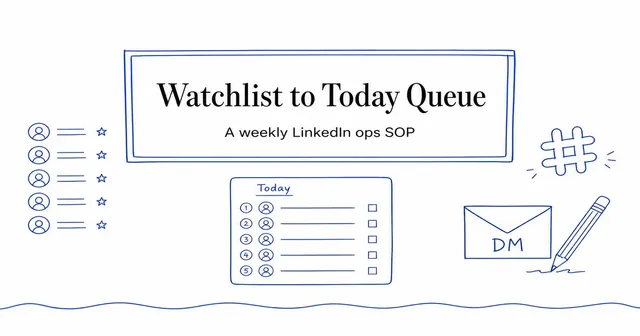
Watchlist to Today Queue: A Weekly LinkedIn Ops SOP
A weekly operating SOP for picking watched profiles within plan caps, running the Priority Queue, handing off in Slack, and sending every LinkedIn DM yourself.